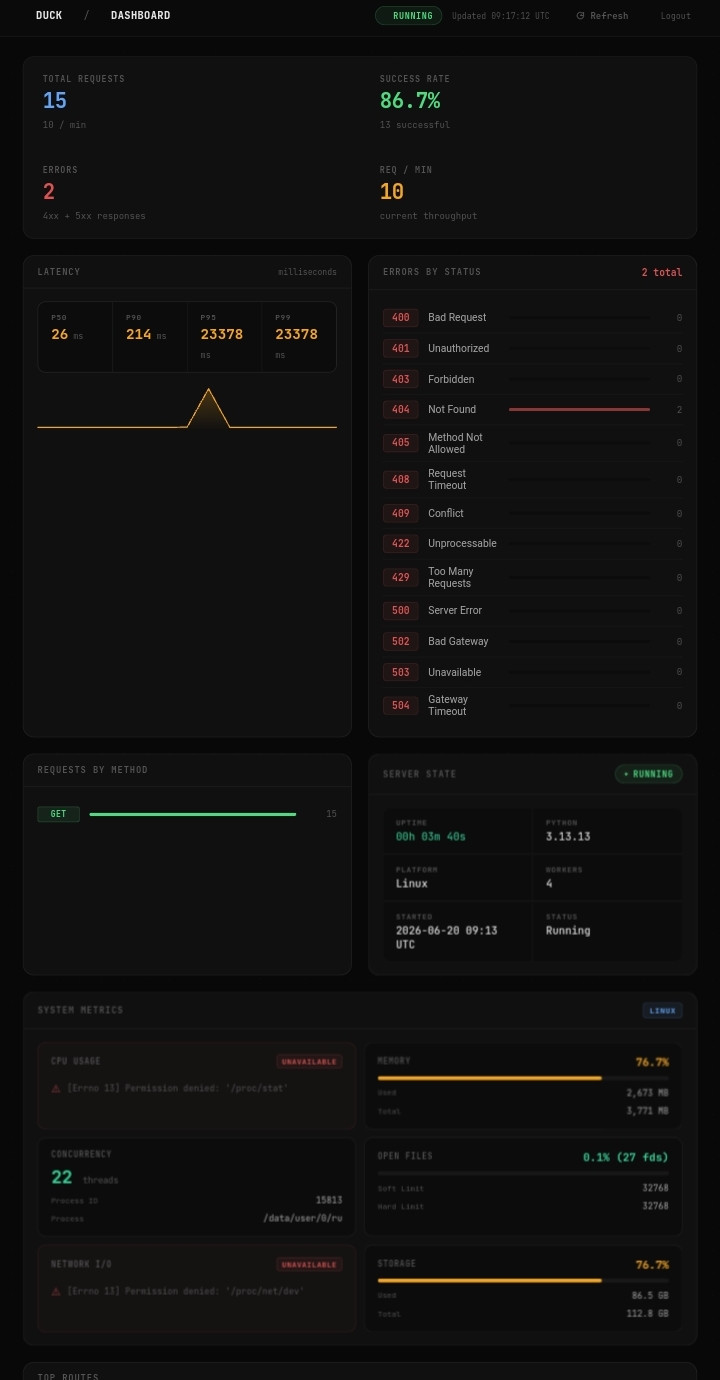
Duck Dashboard
Duck includes a built-in dashboard for monitoring application activity and server health in real time. The dashboard provides visibility into requests, responses, logs, errors, latency metrics, routes, and other system information through a modern reactive interface powered by Lively.
The dashboard is enabled by default because ENABLE_DASHBOARD = True by default. To disable it entirely, set ENABLE_DASHBOARD to a falsey value.
Authentication
The dashboard is protected using JWT-based authentication.
During development (DEBUG=True), Duck uses the dashboard credentials configured in your settings file:
DASHBOARD_USERNAME = "admin"
DASHBOARD_PWD = "admin"
In production (DEBUG=False), Duck ignores these settings and instead requires the following environment variables:
DASHBOARD_USERNAME=admin
DASHBOARD_PWD=your-secure-password
This helps prevent accidental exposure of dashboard credentials in source code.
Password Validation
To improve security, Duck performs password-strength validation for dashboard credentials in production environments. Weak passwords are rejected to reduce the risk of unauthorized access.
Warning
Password validation can be disabled by setting the environment variable DISABLE_DASHBOARD_PWD_VALIDATION to 1 or true. Disabling password validation is strongly discouraged and should only be done when absolutely necessary.
Features
Real-time request monitoring
Response tracking
Latency metrics and performance analysis
Error monitoring and diagnostics
Application log viewer
Route inspection
Server state monitoring
Reactive updates powered by Lively
JWT-protected access
Dashboard Preview